The Analytics page provides a unified view of messaging performance across all channels. It helps track delivery, engagement, and automation effectiveness in real time.
Overview
Analytics is organized into multiple sections:
- Overview
- Messages
- Campaigns
- Automations
Each section focuses on a different part of the communication lifecycle.
Overview Tab
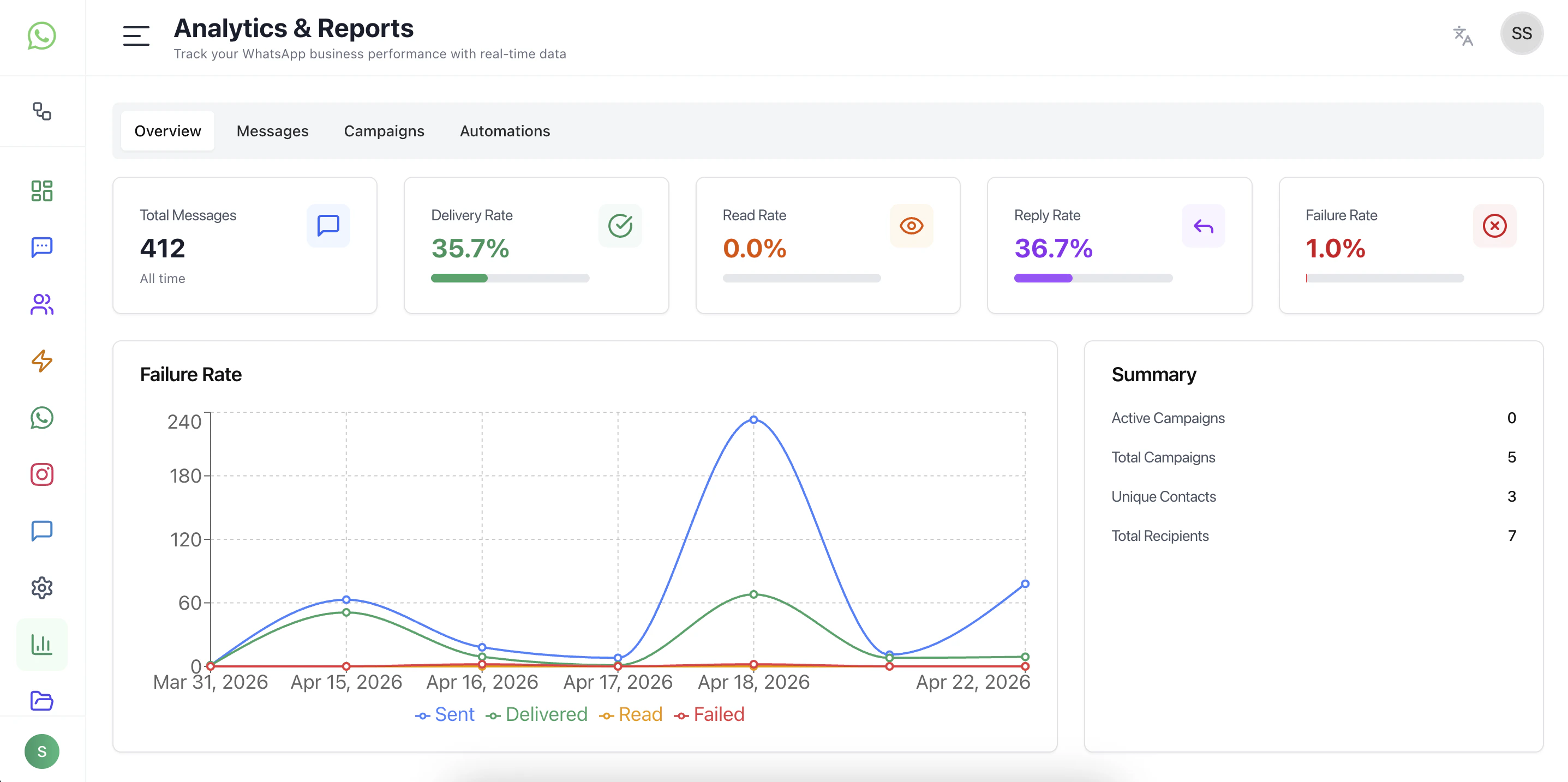
The Overview tab gives a high-level summary of overall performance.
Key Metrics
- Total Messages — Total volume of messages processed
- Delivery Rate — Percentage of successfully delivered messages
- Read Rate — Percentage of messages opened by users
- Reply Rate — Percentage of messages that received responses
- Failure Rate — Percentage of messages that failed
Insights
- Quickly understand system health
- Identify delivery or engagement issues
- Monitor overall messaging trends
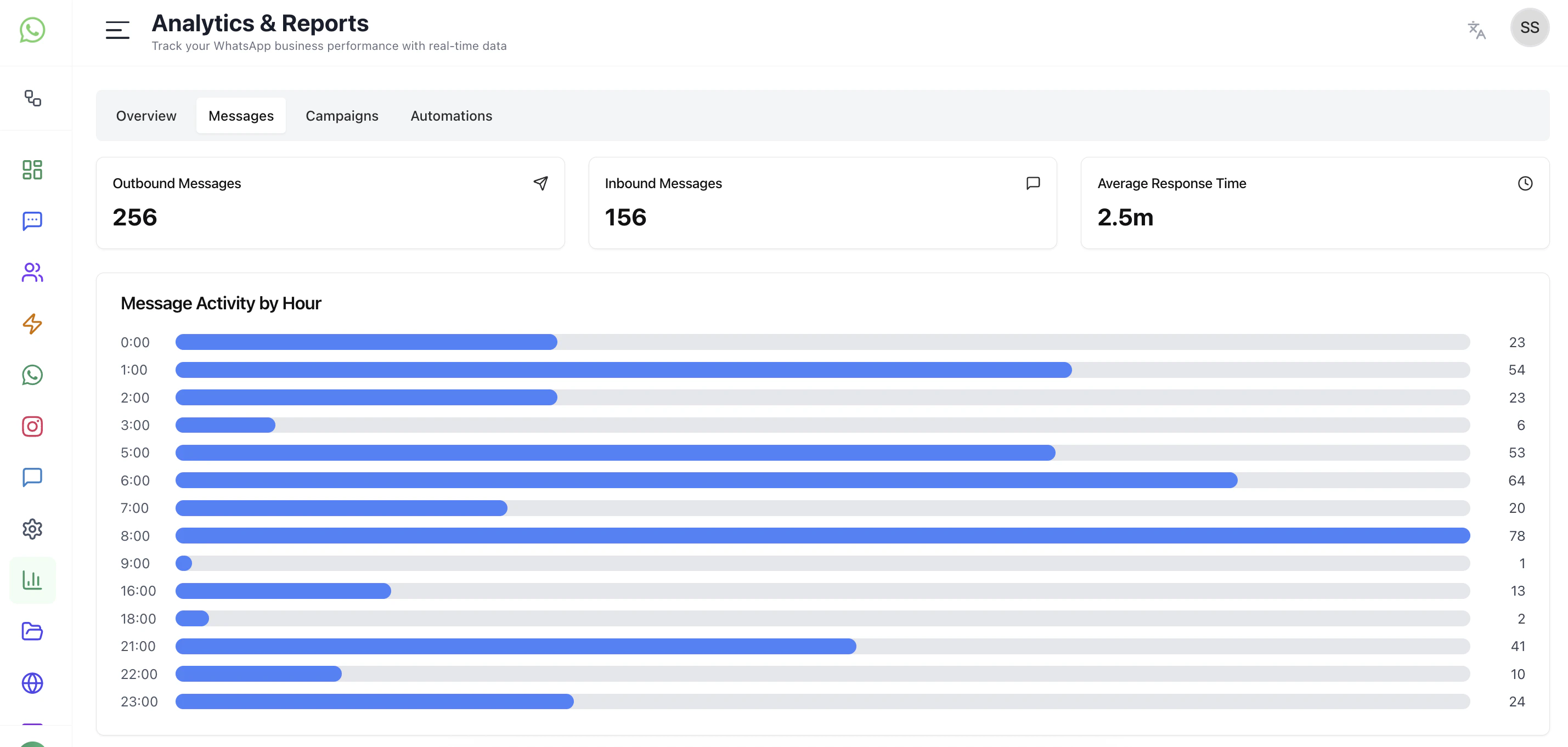
Message Analytics
Focuses on message-level performance.
What it shows
- Sent vs Delivered vs Read vs Failed trends
- Time-based message activity
- Delivery behavior across channels
Use cases
- Identify drop-offs in delivery
- Monitor read and engagement trends
- Debug messaging issues
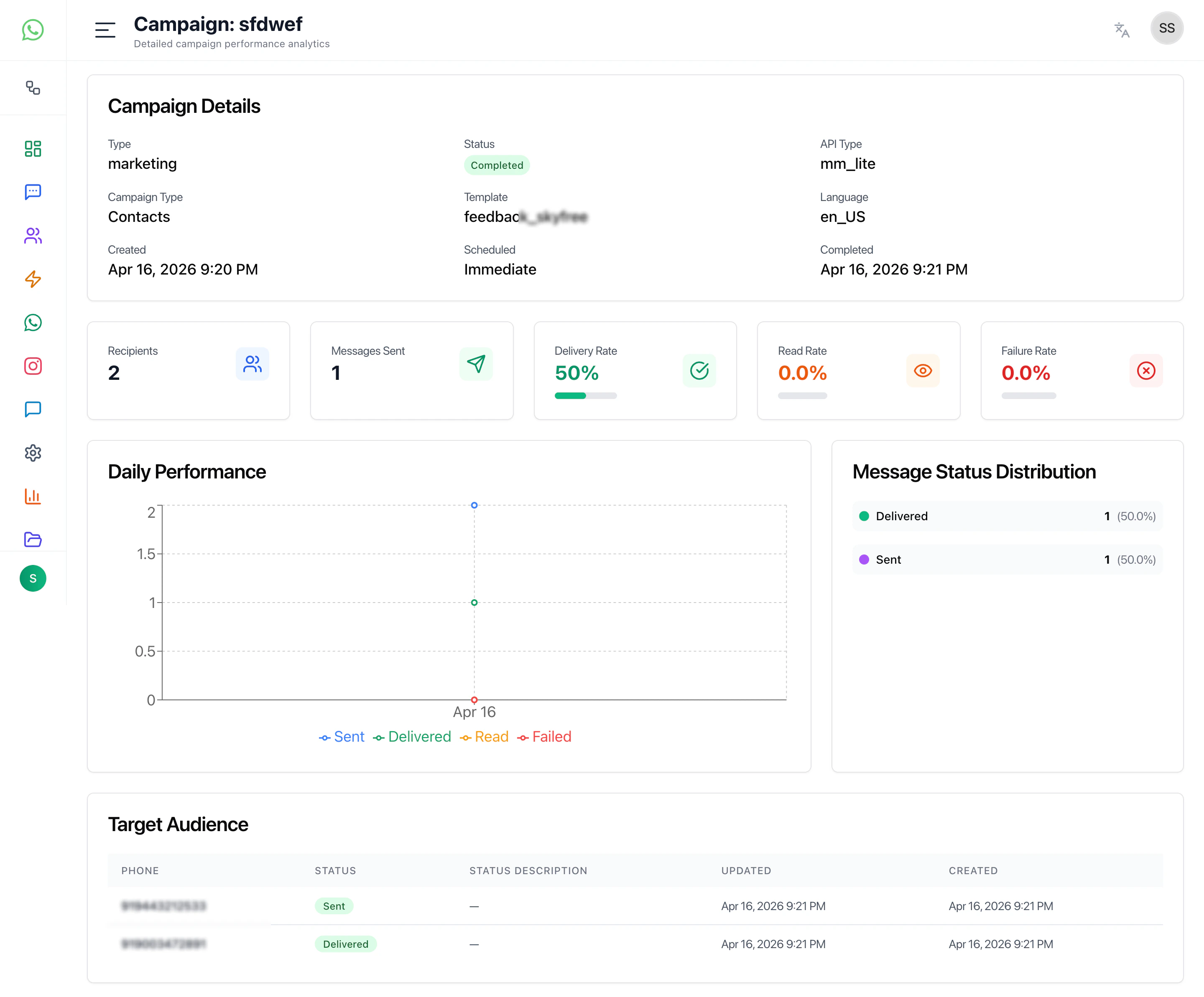
Campaign Analytics
Tracks performance of broadcast campaigns.
Key insights
- Campaign reach
- Delivery success
- Engagement (reads, replies)
- Audience performance
Use cases
- Measure campaign effectiveness
- Compare campaign performance
- Optimize targeting and messaging
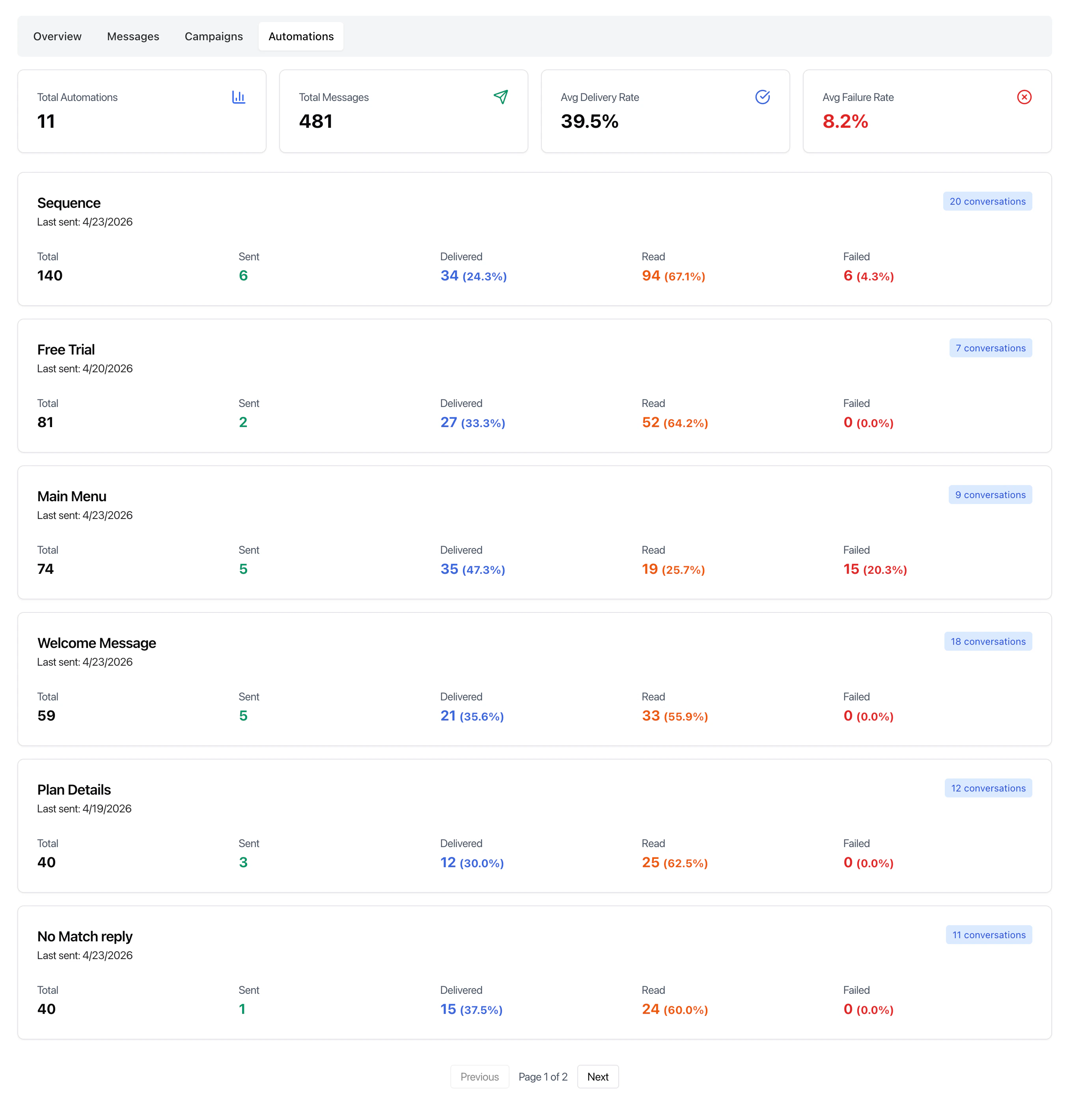
Automation Analytics
Provides insights into automation workflows.
What it tracks
- Flow execution volume
- User interaction within flows
- Drop-off points
- Completion rates
Use cases
- Identify weak points in automation flows
- Improve chatbot performance
- Optimize sequences and journeys
Charts and Trends
The analytics section includes time-based charts showing:
- Message volume over time
- Delivery vs failure trends
- Engagement patterns
These help visualize performance and detect anomalies quickly.
Summary Panel
Provides quick aggregated data such as:
- Active campaigns
- Total campaigns
- Unique contacts
- Total recipients
Best Practices
- Monitor delivery and failure rates regularly
- Use campaign analytics to improve targeting
- Analyze automation drop-offs to refine flows
- Compare trends over different time ranges
Last modified on May 17, 2026