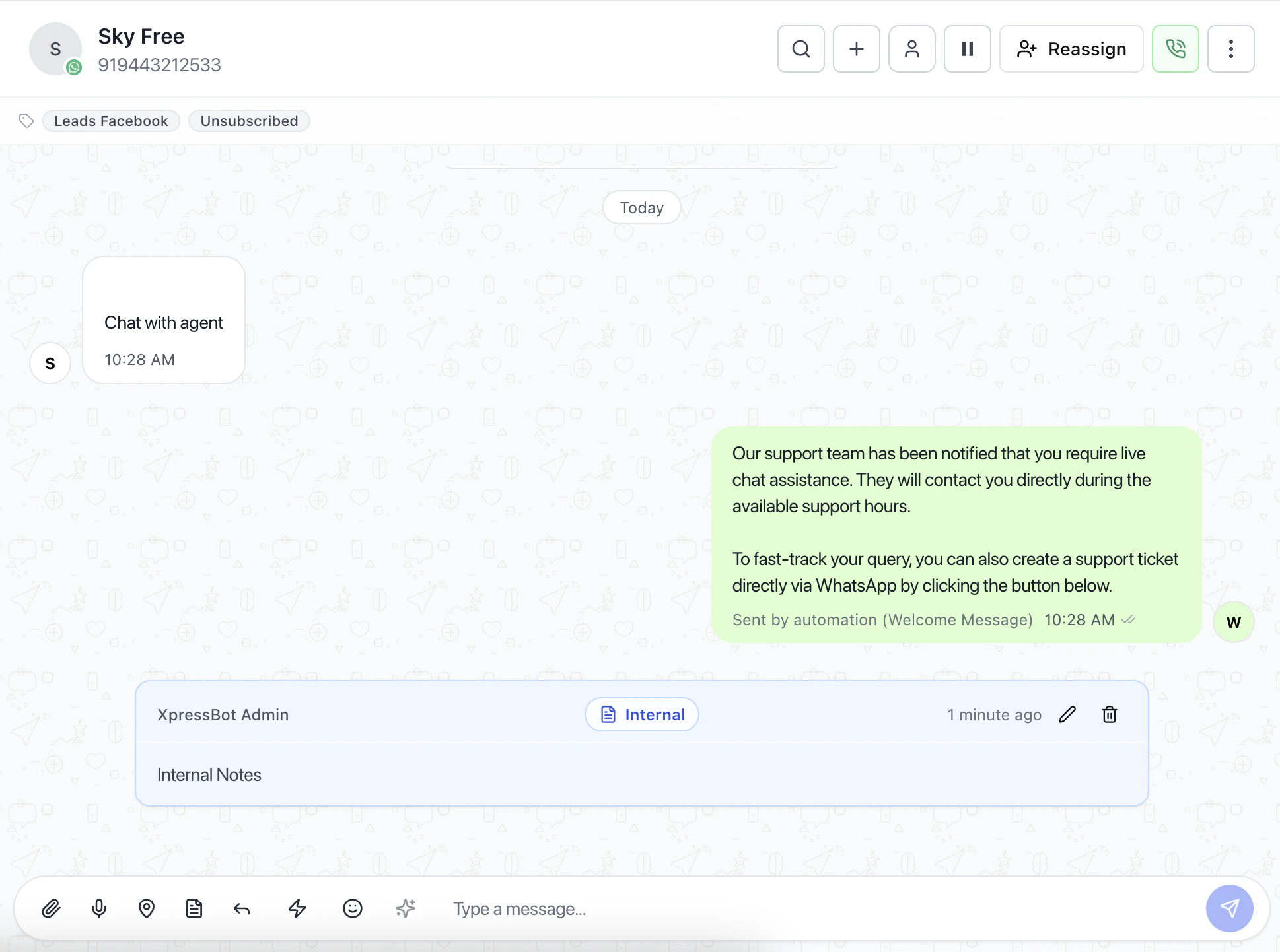
The Add Note feature allows operators to attach internal context, reminders, and alerts directly to a conversation.
This helps teams track follow-ups, important updates, and internal communication without sending messages to the customer.
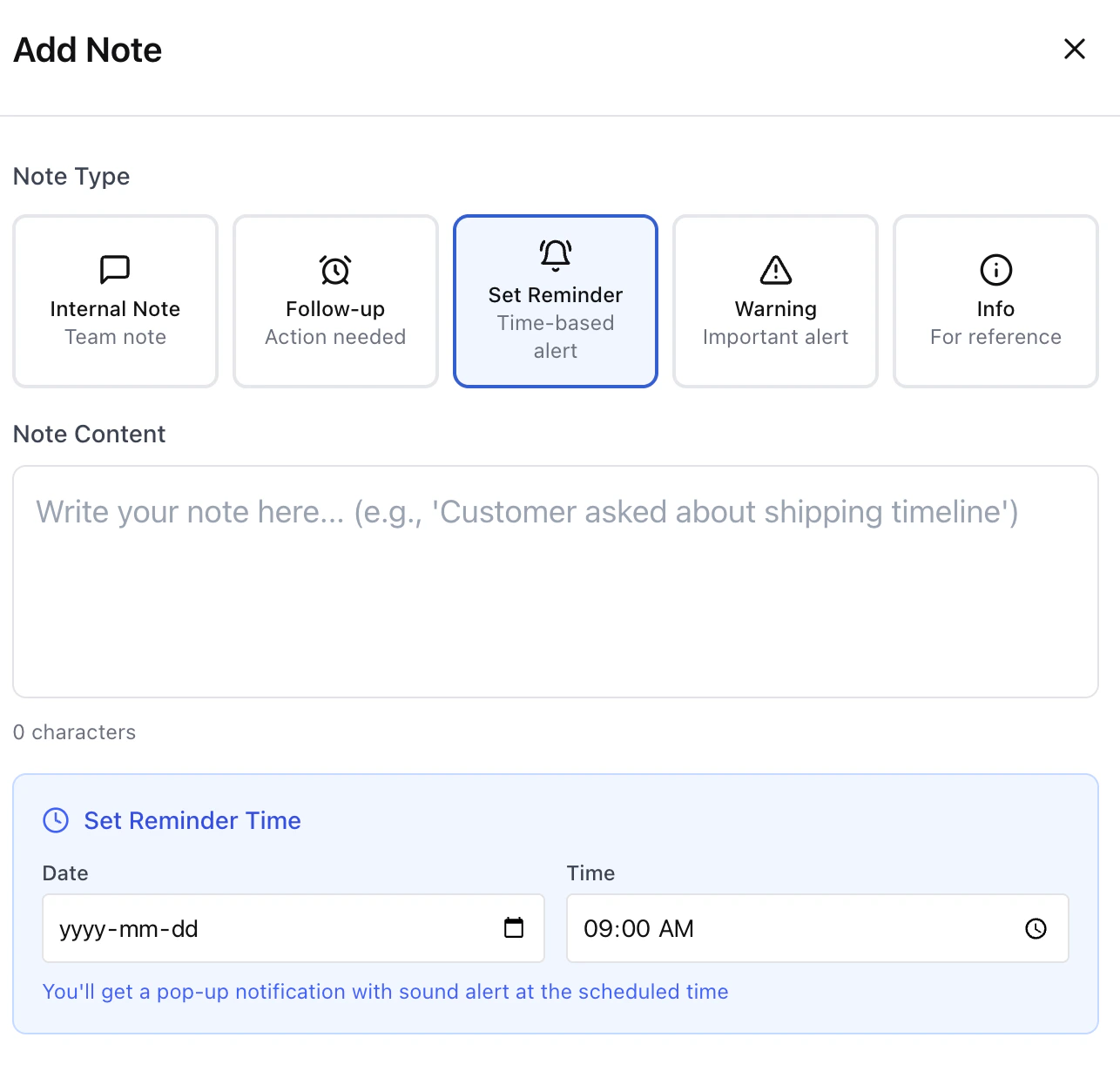
Note Types
Internal Note
Used for private team communication.
- Visible only to team members
- Not sent to the customer
- Useful for sharing context or instructions
Follow-up
Marks a conversation that requires action.
- Helps track pending tasks
- Useful for callbacks or pending responses
Set Reminder
Creates a time-based alert for the conversation.
- Schedule date and time
- Triggers notification at the selected time
- Helps ensure no follow-up is missed
Warning
Adds a high-priority alert to the conversation.
- Highlights important issues
- Useful for escalation or sensitive cases
Info
Stores general reference information.
- Low priority
- Used for additional context or notes
Reminder Scheduling
When using Set Reminder, you can configure:
Date
Select when the reminder should trigger.
Time
Choose the exact time for the alert.
Notification behavior
- Pop-up notification
- Sound alert at scheduled time
Why Use Notes
Instead of relying on memory or external tools:
- Keep all context inside the conversation
- Improve team collaboration
- Track follow-ups reliably
- Reduce missed actions
Recommended Usage
- Use Internal Notes for team communication
- Use Follow-up for pending tasks
- Use Reminders for time-based actions
- Use Warnings for critical conversations
Best Practices
- Always add a note before handing off a conversation
- Use reminders for anything time-sensitive
- Avoid long notes — keep them focused
- Use warnings only when necessary
Last modified on May 17, 2026