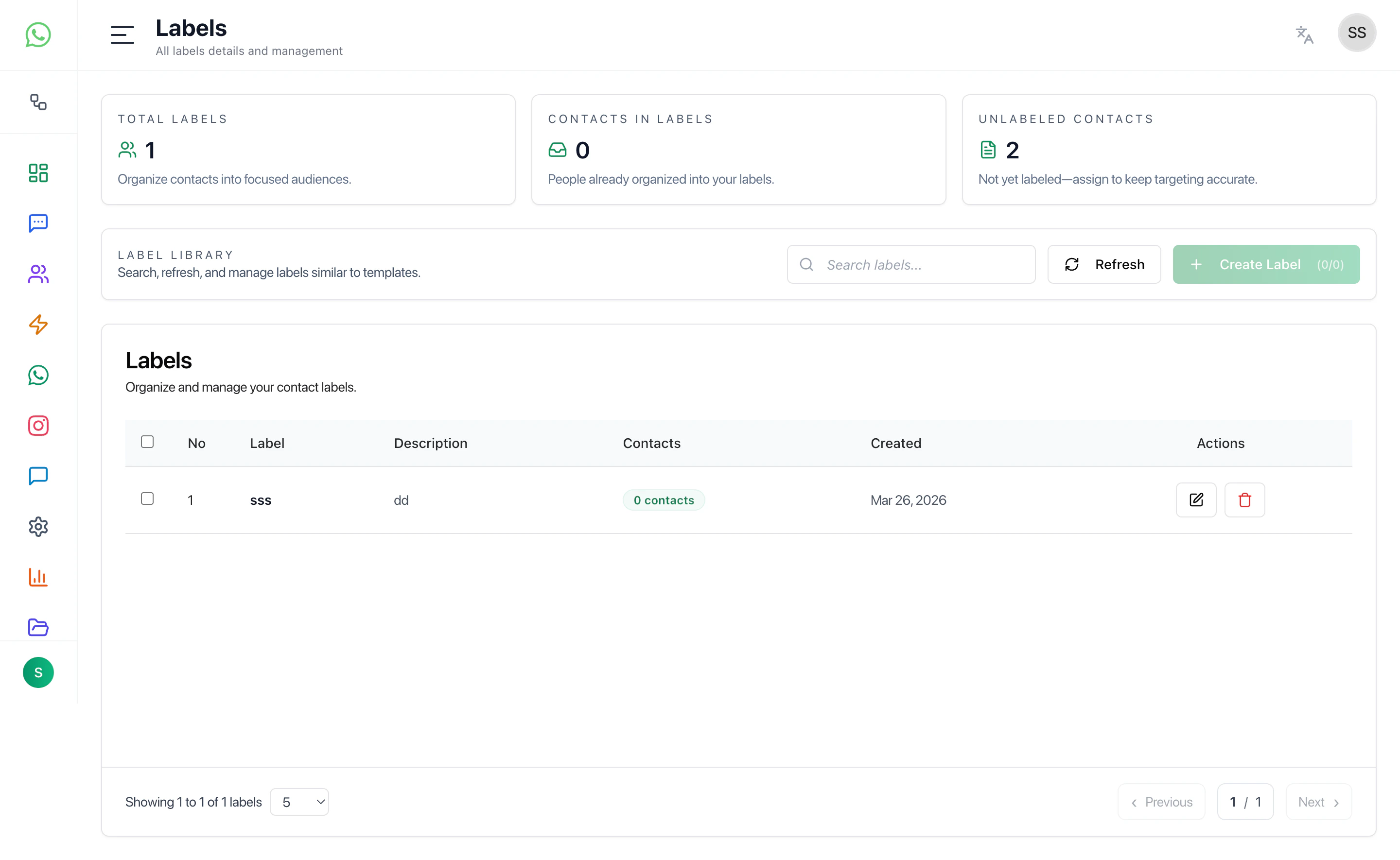
Labels help organize and segment contacts into meaningful groups for campaigns, automation, and targeting.
Overview
The Labels page allows you to:
- Create and manage labels
- View all labels in one place
- Track how many contacts belong to each label
- Organize contacts into targeted segments
Label Library
This section displays all created labels.
Each label includes:
- Label Name — Identifier for the segment
- Description — Optional details about the label
- Contacts Count — Number of contacts assigned
- Created Date — When the label was created
Use this view to manage and maintain your segmentation structure.
Create Label
Create a new label to organize your contacts.
Fields
- Label Name — Required field for identifying the label
- Description — Optional notes about the label
Actions
- Create — Save the label
- Cancel — Close without saving
What Labels Are Used For
Labels are commonly used for:
- Campaign targeting
- Customer segmentation
- Workflow automation
- Grouping users by behavior or category
Recommended Workflow
- Create labels based on your use case
- Assign labels to contacts
- Use labels in filters, campaigns, and automations
- Regularly review and clean unused labels
Best Practices
- Keep label names simple and consistent
- Avoid creating duplicate or similar labels
- Use labels for segmentation, not temporary tagging
- Periodically review label usage
Last modified on May 17, 2026