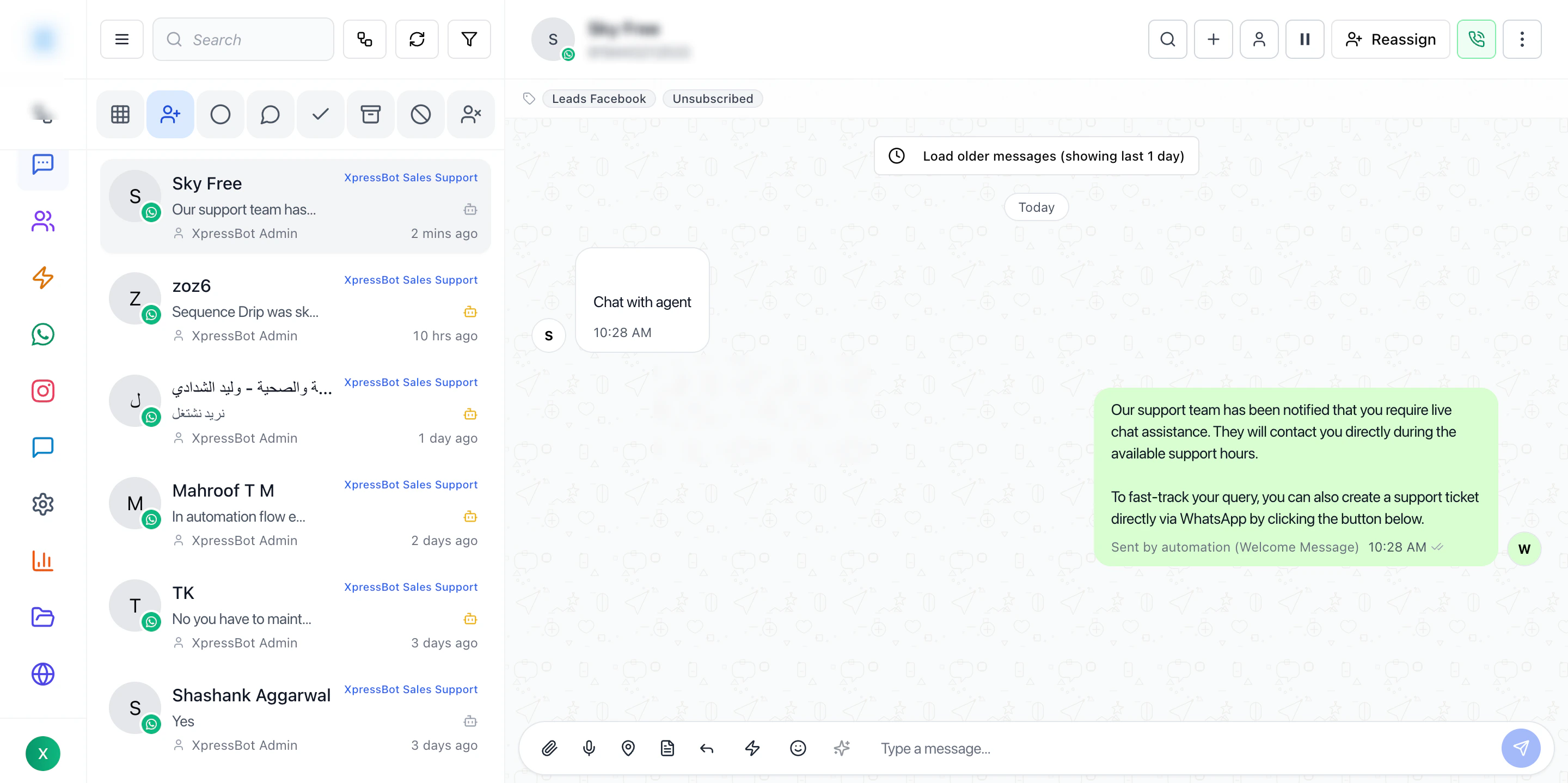
The Inbox is the live operations screen for handling conversations across all connected channels.
This is where teams move from visibility to action — selecting conversations, understanding context, and replying in real time.
Overview
The Inbox is designed to help operators:
- View incoming messages in one place
- Manage multiple conversations efficiently
- Assign ownership to team members
- Respond quickly with full context
The Inbox workflow is structured into four main areas:
- Conversation list
- Filters and search
- Active conversation view
- Reply composer
Each part works together to reduce switching and speed up response time.
Best Practices
- Always filter before working on busy queues
- Read recent messages before replying
- Keep conversation ownership clear
- Use templates carefully (avoid blind replies)
- Use labels for better organization
Why Inbox Matters
Without Inbox:
- Conversations are scattered
- No clear ownership
- Hard to track responses
With Inbox:
- Centralized communication
- Faster response times
- Better team coordination
Last modified on May 17, 2026