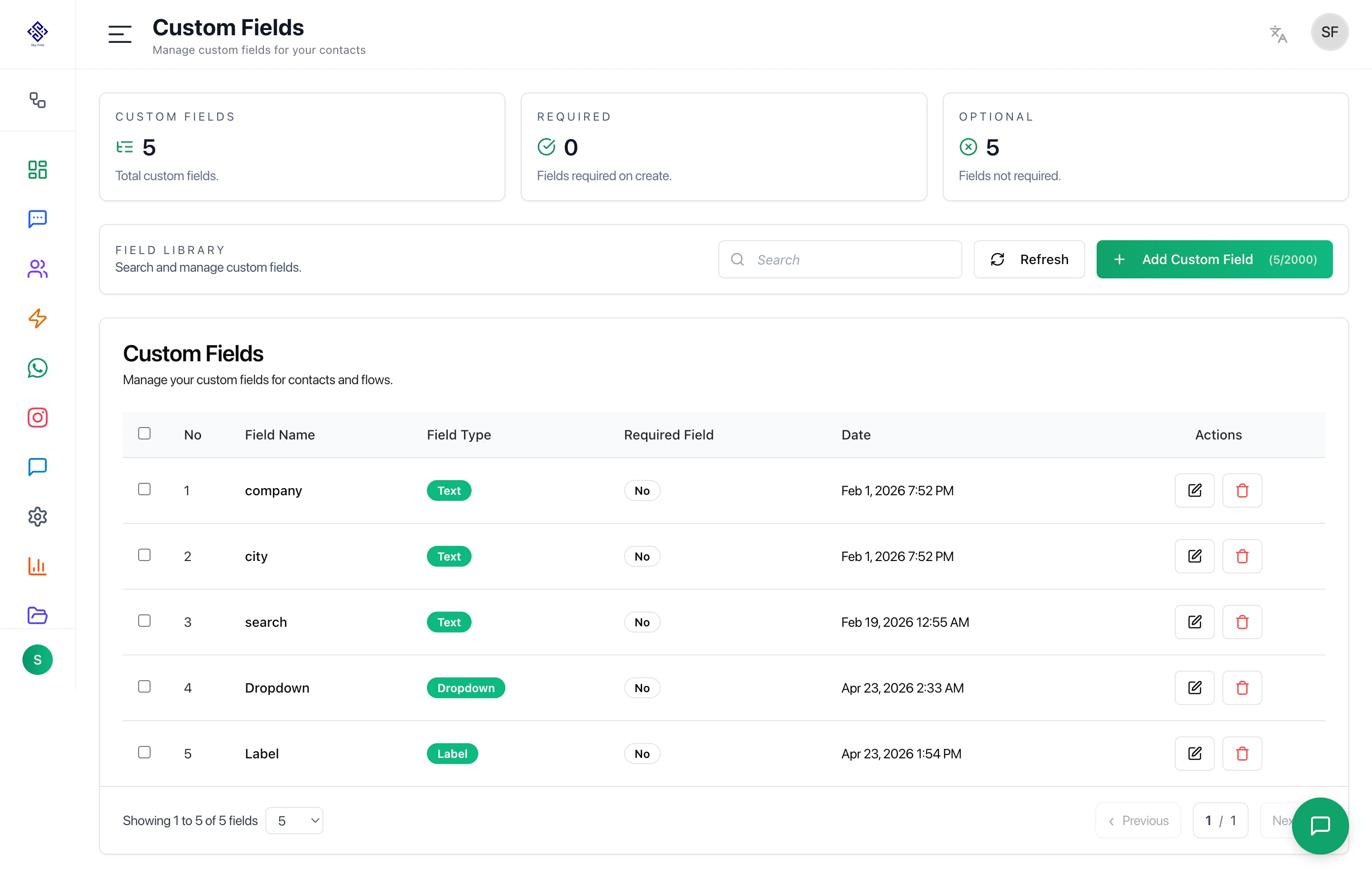
Custom Fields let you store additional contact information beyond the default contact details.
They are useful for collecting and reusing customer data across contacts, automations, WhatsApp flows, and ask nodes.
Overview
Custom Fields can be used to:
- Store customer details collected from conversations
- Capture answers from automation ask nodes
- Save data submitted through WhatsApp flows
- Segment contacts based on stored values
- Personalize future messages and campaigns
Field Library
The Field Library shows all custom fields created in the workspace.
Each field includes:
- Field Name — The name used to identify the stored value
- Field Type — The type of value stored, such as text, dropdown, or label
- Required Field — Whether the field is required during contact creation
- Date — When the field was created
- Actions — Edit or delete the field
Common Use Cases
Automation Ask Nodes
When an automation asks a user for information, the answer can be saved into a custom field.
Example:
- Ask for company name
- Ask for city
- Ask for requirement
- Ask for preferred time
- Save the response to the contact profile
This allows the data to be reused later in the conversation or in future campaigns.
WhatsApp Flows
Data collected from WhatsApp flows can be mapped and stored in custom fields.
This is useful for forms such as:
- Lead forms
- Booking forms
- Customer inquiry forms
- Feedback forms
- Support request forms
Custom fields help filter and group contacts based on stored information.
Examples:
- City
- Company
- Customer type
- Interest
- Lead source
Field Types
Custom fields may support different field types depending on setup.
Common field types include:
- Text — Stores free text values
- Dropdown — Stores selected options
- Label — Stores label-based values
Actions
Users can:
- Add new custom fields
- Search existing fields
- Edit field details
- Delete unused fields
- Mark fields as required or optional
Recommended Workflow
- Create required custom fields before building automations or flows
- Use ask nodes or WhatsApp flows to collect customer data
- Store responses in the correct custom fields
- Use saved values for segmentation, personalization, and follow-up
Best Practices
- Create fields with clear names
- Avoid duplicate fields with similar meaning
- Use dropdown fields when values should stay consistent
- Use text fields for open-ended answers
- Review unused fields regularly
- Do not delete fields that are used in active automations or flows
Last modified on May 17, 2026